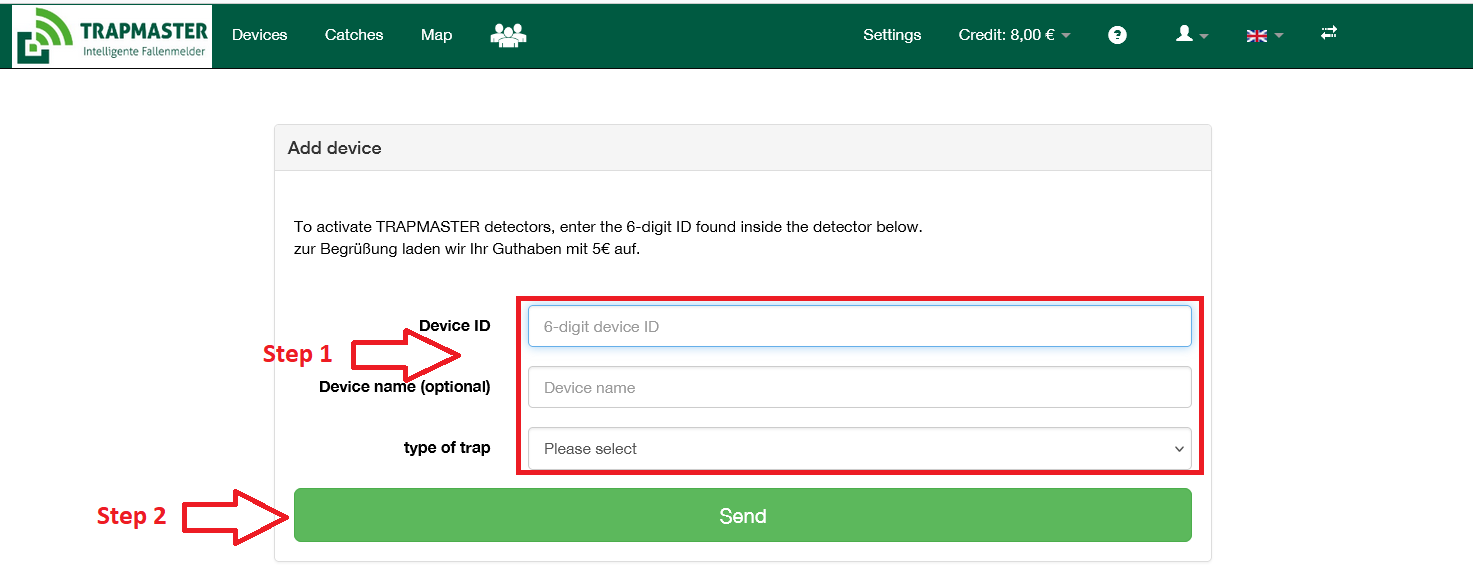

To operate your trap alert, you need the 6-digit “Device ID“. You will find it after opening the housing on the circuit board.
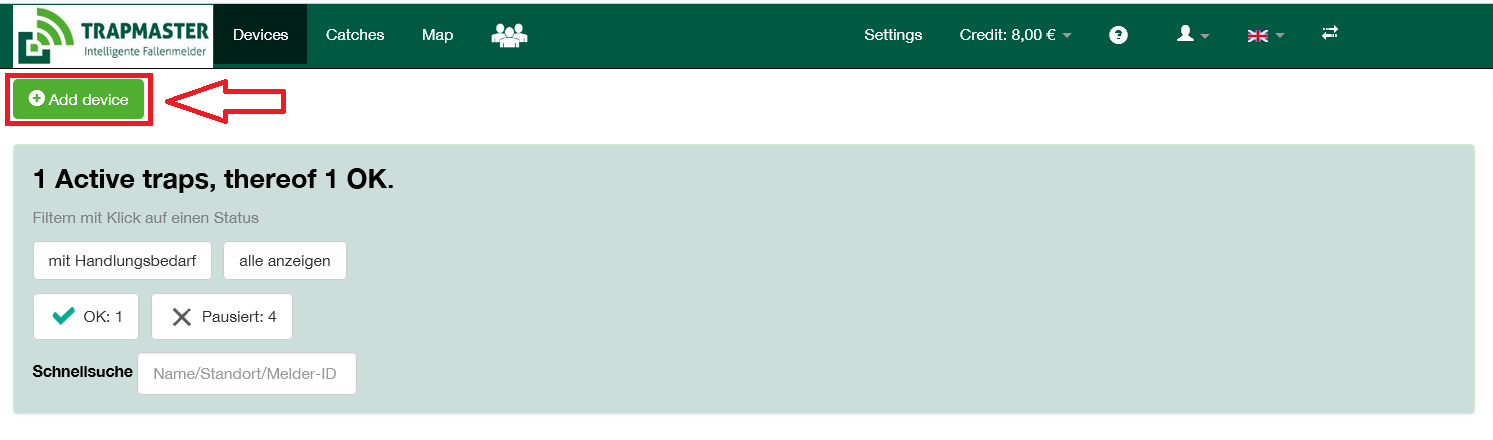
Then go to the “Devices” menu and select "Add device“.
Here you also assign the Device name for this trap and optional additional information: